
Quick Start
Your first 5 minutes with Coding Friend — learn the core workflow.
Coding Friend enforces a disciplined engineering workflow. After installing the plugin, here are the steps to get started.
0. Scan your project into memory
# Enter claude code then run
/cf-scan
This will scan your project and extract the knowledge into the memory system. Read more about /cf-scan for more details.
1. Decide What to Build
/cf-advise Should we migrate to a monorepo or keep multiple repos?
Not sure yet whether — or which approach — is worth doing? /cf-advise interviews you one question at a time to surface the real requirements, then gives a verdict-first recommendation with pitfalls and ranked alternatives. It's advisory-only — it never writes code or a plan. Once you've decided, hand off to /cf-plan below. Check /cf-advise for more details.
2. Plan Your Work
/cf-plan Build a user authentication system

# Or even without /cf-plan (not recommended)
Build a user authentication system
Coding Friend explores your codebase, identifies existing patterns, and writes a structured implementation plan. The plan is saved to docs/plans/ by default. Check /cf-plan for more details.
3. Write Code
Simply describe what you want to build. The cf-tdd skill activates automatically and checks for --add-tests in your task to decide the mode. By default it uses direct implementation — code without new tests. To enable TDD, pass --add-tests:
/cf-plan --add-tests Build a user authentication system
With --add-tests, the skill enforces:
- RED — Write a failing test first
- GREEN — Write minimal code to pass
- REFACTOR — Clean up while tests stay green
You can also enable TDD globally via cf config or cf init (sets tdd: true in config).
4. Review Your Code
/cf-review src/auth/
A multi-layer code review runs in a separate subagent, checking security, performance, style, and test coverage. Check /cf-review for more details.
5. Fix Bugs
/cf-fix Login fails with 401 error
A bug fix workflow with problem verification. Check /cf-fix for more details.
6. Optimize Code
/cf-optimize getUserById query
A structured optimization workflow with before/after measurement. This skill also auto-invokes when you mention performance issues — just say "this endpoint is slow" and it activates. Check /cf-optimize for more details.
7. Commit
/cf-commit Add user authentication
A smart conventional commit workflow with diff analysis. You should run it after you have written the code and verified that it works. Check /cf-commit for more details.
8. Ship It
/cf-ship Add user authentication
One command to verify all tests pass, create a conventional commit, push, and open a pull request. Check /cf-ship for more details.
9. Research
/cf-research GraphQL vs REST for mobile APIs
A deep research workflow with web search. The research is saved to docs/research/ by default. Check /cf-research for more details.
10. Capture Knowledge
/cf-remember auth flow
Capture project knowledge for the AI to use in future sessions. The knowledge is saved to docs/memory/ by default. Check /cf-remember for more details.
11. Learn From Your Work
/cf-learn
Extract what you learned during the session into structured docs. Use /cf-teach for a deeper, conversational breakdown of what happened and why. Host them locally with cf learn host or integrate with other LLM clients via cf mcp. Check /cf-learn for more details.
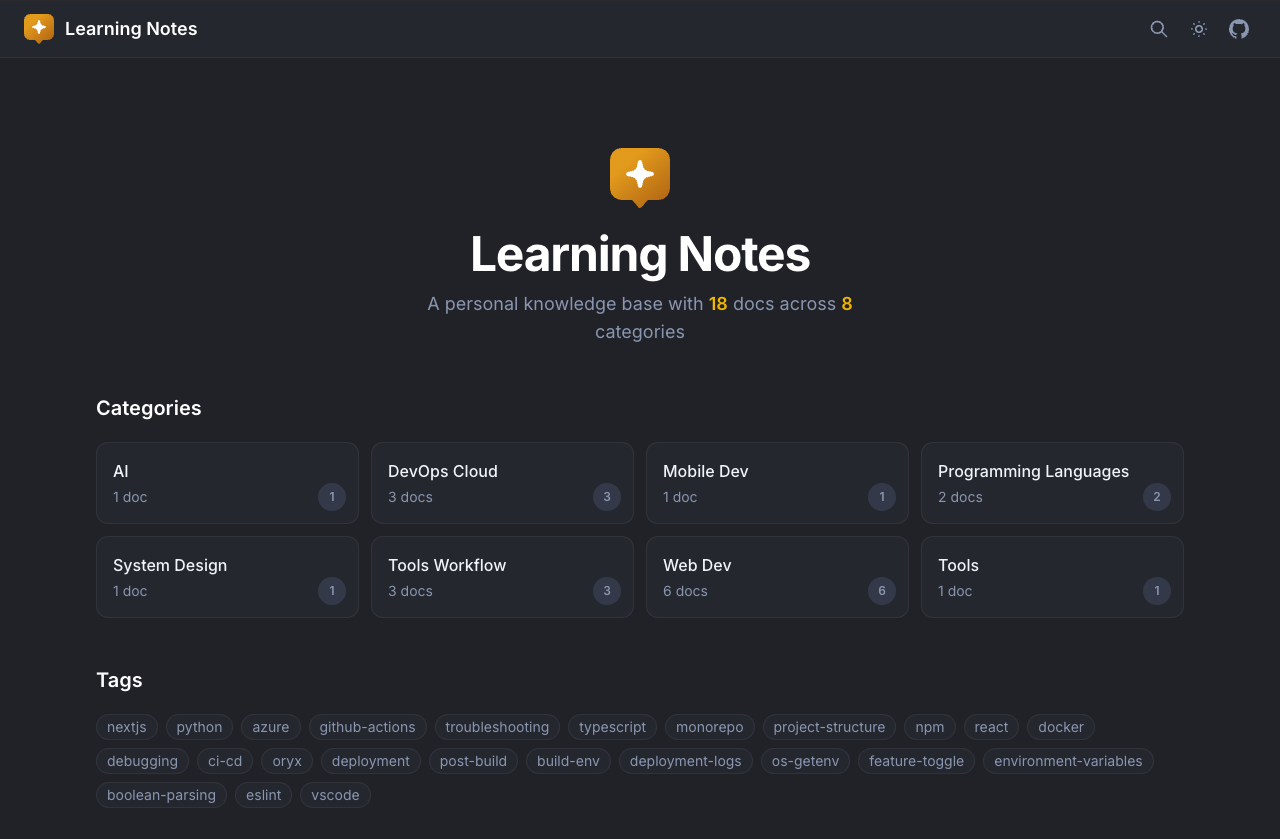
Use cf learn host to run a local website at http://localhost:3333
12. Ask Questions
/cf-ask How does the auth middleware work?
Ask questions about your codebase. The question is saved to docs/memory/ by default. Check /cf-ask for more details.
13. Save Session for Another Machine
/cf-session refactor auth flow
Save the current conversation to docs/sessions/ so you can resume it on another machine with cf session load + claude --resume. Check /cf-session for more details.
Tips
- Use
/cf-helpto see all available commands or ask about skills, agents, or workflows (e.g. "/cf-help what skills are available?") or just ask naturally about Coding Friend (e.g. "how does cf-plan work?") - Skills like
cf-tdd,cf-verification, andcf-optimizeactivate automatically — no slash needed